
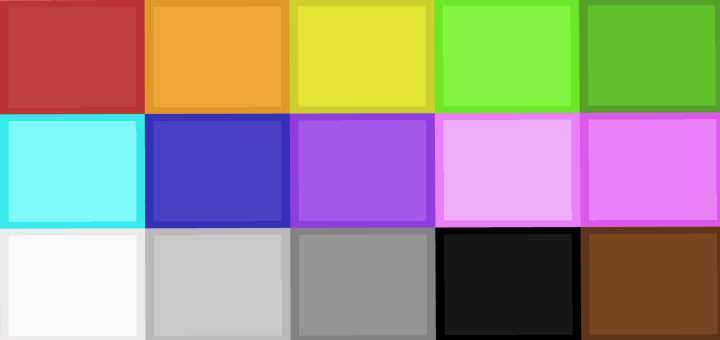

I made the wool texture different by adding a slightly darker coloured border to the colour of that wool.
I attached a notes document on how to import it but in case you can't open it from this website then you can use the zip folder which contains the document
Select version for changelog:
Changelog
I attached a notes document on how to import it but in case you can't open it from this website then you can use the zip folder which contains the document.


http://www.mediafire.com/file/5ybripljd0vcv9f/clean+wool+1.+16.+100.mcpack/file
if it didn't work just say and I will do my best t fix it
enjoy :)
1. u need all these 3 apps: files, unzip, and minecraft
2. once In the file app and u see the pack, hold the file down. and add “to.zip” then you will open the file into unzip
3. click on your file and a pop up will say “open in” you will then click open in minecraft and it should be in there!
4. Go back to files and hold on the file and press “compress” and it should turn into a zipped folder/ file!
and if that doesn’t work for you then just say
Here is the link to the new version: http://www.mediafire.com/file/n46dajod88w826d/cleanwool+v2.mcpack/file
Enjoy
If you run into any other problems just tell me :)
http://www.mediafire.com/file/ibngen5rr8lfeua/clean_wool_v2.mcpack/file