Outlined Hearts & Hunger

Outlined Hearts & Hunger

By VirusCott Published 21 Nov 2024 · Updated 28 Apr 2025
3.8

Introduction:

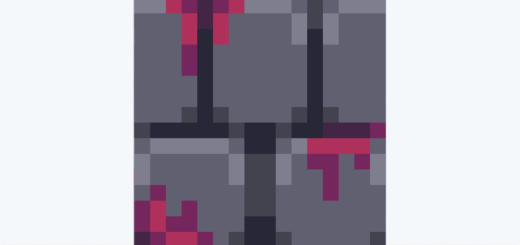
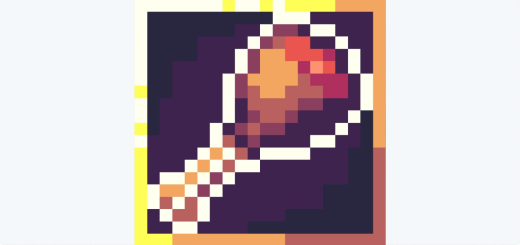
Have you ever wanted to improve the look of your health and hunger points in Minecraft with a pretty outline? Or you've wanted brighter and more visually appealing icons? With this texture pack, you can get that! It transforms the health and hunger points into cooler, brighter and vibrant-er designs!

Select version for changelog:

Changelog

・Added link from MCPEDL to PMC

・Added link from PMC to MCPEDL

・Reorganized the descriptions

・Updated image showcase for clarity
Installation

Resolutions

Installation Guides

Pinned comment
1
very good I enjoy both also if it dosent import just put .mcaddon at the end of file.
1
você sabia, mods são pra ser colocados no minecraft não em apps aleatórios, isso e so uma dica mais depende onde você quer jogar, talvez jogar na carteira do Google ou jogar no google
1
Bro there's so many people that can't read
1
It would be super cool if you made a texture that puts the life hearts, food saturation bar and armor stuff at the bottom, above the experience bar, just like in java, which only changes that and not the player's inventory ("I know this can be done by changing the UI in the game's video settings, but on many mobile devices this changes the player's menu and inventory and makes it too small and believe me you can't increase that size and it's annoying.")
1
Perhaps you can try enabling "Extra Large New UI" in your video settings
1
toiletnodigasskibidi November 23, 2024 at 7:49 pm
The button to import the mod to Minecraft does not appear, please add an update so that the mod can be downloaded again
1
To import, please ensure that you add ".mcaddon" at the end of the file name
1
Can't import to the game. I would need to root my device for it to work.
1
Make sure that the file name ends with ".mcaddon", then it'll work
1
Coner Honest reviewer November 23, 2024 at 7:26 am
there's one big problem, whenever you click the download button and import it to some apps... Minecraft doesn't exist in the menu, Why is that? anyway to fix it?
1
To import to Minecraft, save the file. Now rename it, and change it .zip to .mcaddon, and reopen.
1
cant import to the game
1
Please make sure that the file name ends with ".mcaddon" to be able to successfully import it to the game
1
very good I enjoy both also if it dosent import just put .mcaddon at the end of file.
1
I can't import them to the game and I tried everything
1
If it didn’t work, you definitely didn’t try everything.