
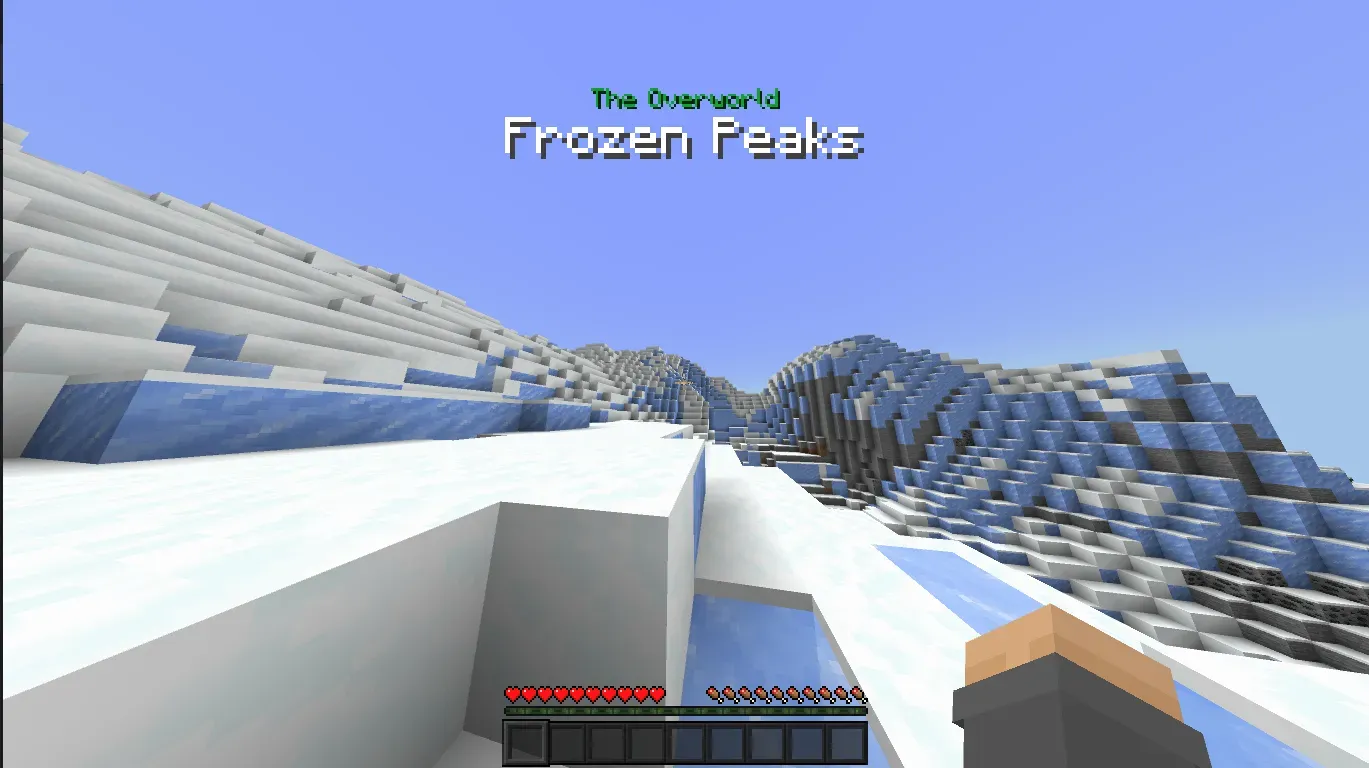
Biomify

5.9k
Select version for changelog:
Changelog
Adding support for Vibrant Visuals.
You may also like...


Installation Guides
 1
1
PATO MC5604
July 16, 2026 at 11:23 pm
Will there be an update? By the way, it would also be good if it detected cave biomes from other add-ons, since I combined it with others and it only detects the surface.
 1
1
GAMER_XD
June 13, 2026 at 7:39 am
Not working
1
daniswastaken
June 13, 2026 at 7:47 am
it works as per 26.20, please contact me on Discord if you need further assisting
 1
1
Danila15435
May 20, 2026 at 11:44 am
Addon doesn't work. Please fix it.
1
daniswastaken
June 13, 2026 at 7:47 am
it works as per 26.20 and above, please contact me on Discord if you need further assisting
 1
1
PlayerKiller821
May 17, 2026 at 10:20 am
Can you put the biome text in the "texts" folder?
 1
1
dragoncraft1157
May 15, 2026 at 12:36 pm
sabes que sería buena adición que añadieras un sonido que representa el bioma como sonidos de almas en el valle de almas,o sonidos de animales al entrar a un birch forest algo por el estilo,haría que tu addon se sienta diferente al montón de addon de notificación de biomas que hay en MCPEDL,saludos
 1
1
schizonerd
January 02, 2026 at 6:40 pm
sick
 1
1
John Diaz Ortega
November 18, 2025 at 5:53 am
Could you put the notification on top? Distracting and less visibility in the center of the screen.
 1
1
GardenerStinky
November 01, 2025 at 4:07 pm
This works with Spanish language?
1
daniswastaken
November 02, 2025 at 9:33 am
it will work, but the biome name will still follow the game code.
 1
1
Dian2048
October 23, 2025 at 8:49 am
Please work it with vibrant visual.
1
daniswastaken
October 27, 2025 at 1:08 am
what's your issue with vibrant visual?
1
Dian2048
October 27, 2025 at 1:27 am
I can't turn on vibrant visual. It's say vibrant visual requires support devices.when i deactivated this addon My device supports vibrant visual. I don't know why? Sorry im bad in English i hope you understand.im Malaysia people.
1
daniswastaken
October 28, 2025 at 1:38 am
I'm not sure how to fix your issue since this addon doesn't interfere in the slightest with the game rendering. I guess it's bug on the Minecraft itself.
1
daniswastaken
June 13, 2026 at 7:48 am
sorry for late, it works now with Vibrant Visuals, I wasn't understand what the previous problem was, but now it fixed
 1
1
Sir.JMars
October 09, 2025 at 10:34 am
make a skyrim font version please.
1
daniswastaken
October 10, 2025 at 4:47 am
actually a good idea to add custom font. but I'm afraid I can't do Skyrim font
 1
1
E24karatgamr
October 07, 2025 at 9:34 am
Does this work with custom biomes?
 1
1
Meta-Adrift
October 07, 2025 at 2:42 pm
I’ve tried this on the biomes and beyond addon and i can confirm it doesn’t work on custom biomes, it gives a random text for less than half a second before disappearing
1
daniswastaken
October 14, 2025 at 1:51 am
Biomify 2.0 now support custom biomes!