
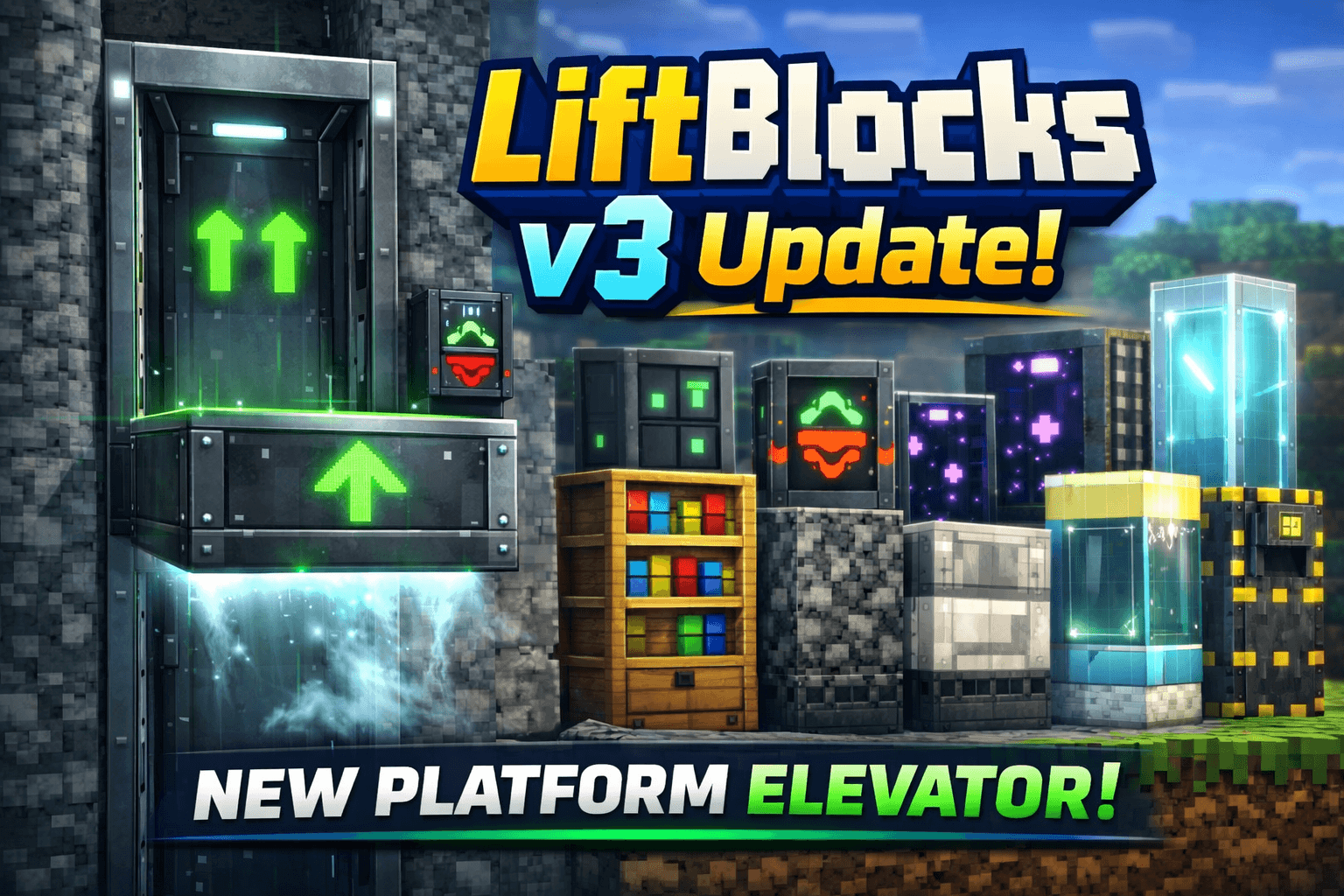
LiftBlocks

11.7k
Select version for changelog:
Changelog
📋 Changelog — LiftBlocks
v3.0 — Current Release
New
- Added Physical Platform Elevator — a platform that moves block by block in real time up and down a shaft. No teleportation, pure physical simulation.
- Added Elevator Control Block — a single block with both up and down arrows placed on the wall beside the shaft. Replaces the old separate arrow blocks.
- Platform movement logic:
- Right-click Control at your floor → calls platform to you
- Platform already at your floor → right-click sends it to the next floor above · Sneak + right-click sends it to the next floor below
- Platform always stops 1 block below the Control Block so the panel stays visible
- Players standing on the platform ride along automatically each tick
- Mechanical sound during movement, ding sound on arrival
- Smoke particles during travel
- Movement blocked if path is obstructed by a solid block
- Cannot activate while platform is already moving
Removed
- Separate Arrow Up and Arrow Down blocks replaced by the unified Control Block
v2.4 — Intermediate Build
New
- First version of the physical platform system (experimental)
- Added Arrow Up and Arrow Down as separate blocks (later unified)
- Platform moved block by block with rider detection
v2.3
New
- Added Group Elevator — transports all players standing on top simultaneously
- Shows
✦ X players transported → Floor ~Non screen - Cooldown applies to the entire group at once
- Added vanilla-accurate textures for all hidden elevators using real Minecraft sprite sheets
- Updated Wood Elevator texture with oak log sprite
- Updated Quartz Elevator texture with quartz block sprite
Changes
- Cooldowns reduced across all elevator types:
- Basic: 2.0s → 1.0s
- Industrial: 1.25s → 0.6s
- Ender: 1.5s → 0.4s
- Luxury: 1.5s → 0.75s
- Fixed Bookshelf Elevator crafting recipe (now uses Oak Planks + Iron + Redstone)
v2.2
New
- Ownership Wrench item with full in-game UI menu — no chat commands needed
- Right-click any elevator while holding the Wrench to claim ownership
- Owner panel with 7 options: Public / Owner Only / Team / Add Player / Remove Player / View Team / Release Ownership
- Players added to a team receive an automatic notification in chat
Fixes
- Fixed UI menu reopening repeatedly after selecting an option
- Fixed Wrench texture not displaying in inventory (wrong icon format for Bedrock 1.21)
- Fixed right-click interaction not opening the menu (wrong API call for held item detection)
- Wrench texture rebuilt at 32×32 for better in-game visibility
v2.1
New
- Added 4 hidden camouflaged elevator variants:
- Bookshelf Elevator
- Quartz Elevator
- Deepslate Elevator
- Wood Elevator
- All hidden elevators use vanilla Minecraft textures — visually identical to real blocks
- First version of the Ownership Wrench (chat command based)
- Permission system: Public / Owner Only / Team modes
⛔ Access Deniedscreen message and sound when unauthorized player attempts to use a private elevator
Removed
- Permission Panel block — replaced entirely by the Wrench system
v2.0
New
- Permission Panel block — right-click to claim and configure access
!lift permchat commands for permission management- Permission data saved persistently using Dynamic Properties (survives world reloads)
- Access control applied to both origin block and destination block
Changes
- Script fully rewritten for improved reliability
- Block detection now checks multiple positions below player feet
- Jump and sneak detection uses rising edge only — no accidental repeated triggers
v1.3
New
- Crafting recipes added for all elevator types and the cable block
- Cable recipe changed to use Chain items (3 in a column → 6 cables)
Changes
- Industrial recipe rebalanced
- Ender recipe now requires Amethyst Shard
- Luxury recipe uses Quartz Block as the center piece
v1.2
Fixes
- Elevator Cable restored to thin pole geometry — was accidentally overridden to a full block in v1.1
- Cable now uses custom geometry with correct collision and selection boxes
v1.1
Fixes
- All blocks switched to native Bedrock full block geometry to fix loading errors
- Script rewritten with correct
@minecraft/serverAPI calls - Jump and sneak detection fixed — rising edge only, prevents infinite teleport loops
- Give command simplified from
!lift giveto!lift - Added
/function liftblocks:giveas an alternative - Player state cleaned up automatically on disconnect
v1.0 — Initial Release
- 4 elevator types: Basic, Industrial, Ender, Luxury
- Jump to go up, sneak to go down
- Automatic floor detection — elevators connect when aligned vertically in the same type
- Unique particles and sounds per elevator type
- Floor indicator shown on screen when traveling
- Decorative Cable block
- Multiplayer support with per-player cooldown
!lift givechat command to receive all blocks
Downloads
- LiftBlocks_v3.mcaddon (52.94 KB)
- LiftBlocks_v2.3.mcaddon (41.67 KB)
Show all downloads (1 older files)
Supported Minecraft versions
You may also like...

Installation Guides
Pinned comment 1
1
BLUCKS450
May 11, 2026 at 10:15 pm
If you find any errors, please let me know
 1
1
ymtmanuel
July 11, 2026 at 10:17 am
Hi BLUCKS450, great addon! I'm having trouble with the Physical Platform (Industrial). I'm trying to build a 3x3 platform, but only the center block moves. Is there a trick to connecting the surrounding blocks, or is there a tutorial for this?
1
BLUCKS450
July 12, 2026 at 1:28 pm
Hi, I haven't added that feature yet, but it will be available in a future update.
 1
1
AAeKc901026
May 15, 2026 at 1:05 pm
Make a sliding door it where it basically used the vanilla textures so it's compatible with resource pack and also allow you to group any single block with a special style you can select from ul and also texture elevator platform And also group elevator platforms with super glue
1
BLUCKS450
May 15, 2026 at 6:53 pm
That's actually a really cool idea. My current focus is getting the basic moving elevator system working first, but later I’d like to add grouped blocks, vanilla texture support, and maybe a glue system for moving multi-block structures.
 1
1
mysha maliha
May 12, 2026 at 1:56 am
is there a tutorial video I can watch.
1
BLUCKS450
May 12, 2026 at 8:18 am
No tutorial video yet, but one is planned for a future update! In the meantime, the CurseForge and MCPEDL description covers everything you need to get started.
1
BLUCKS450
May 11, 2026 at 10:15 pm
If you find any errors, please let me know
 1
1
GlamrockFreddyGaming
May 07, 2026 at 7:11 am
Can you make it so I can use it with achievements
 1
1
☆ℇനınent☆
May 07, 2026 at 4:32 am
fuckass ai bullshit 🖕
 1
1
Mango™
May 07, 2026 at 2:36 am
bro soooooo many more people would download ts if you got rid of the Ai thumbnail
 1
1
TEXTYYY
May 05, 2026 at 1:46 am
For a first version of the mod, it's pretty good. I hope you can continue updating it; I'll be eagerly awaiting the next updates. Excellent work!