
Papa Smurfs Draco Elytra Wings

Papa Smurfs Draco Elytra Wings

By LiteMC Published 3 Dec 2019
4.2

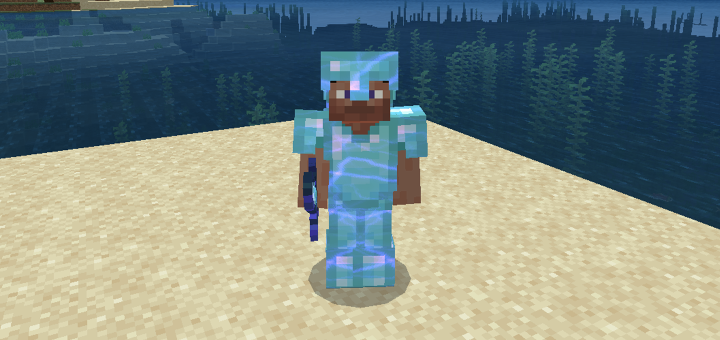
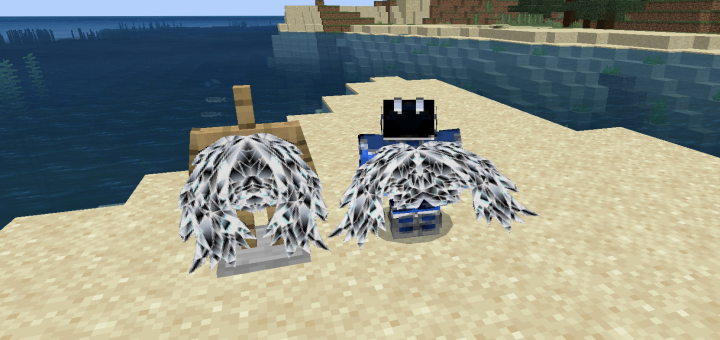
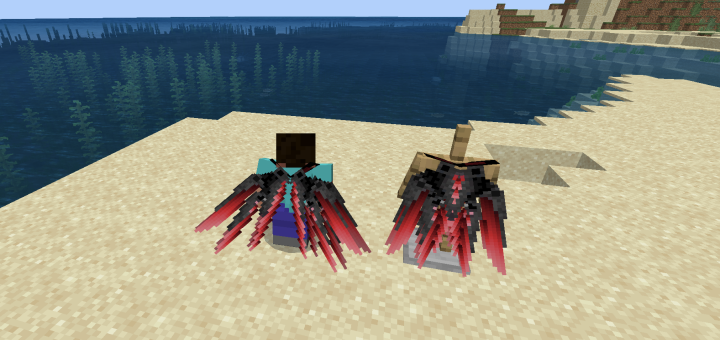
This texture pack has 8 different color variants of elytra wings. These appear as a double wing texture which looks really awesome while flying. I've included separate links to each one.

IMPORTANT: These wings will only work with custom skins that do not have a cape. If you include a cape in your skin Minecraft will automatically overwrite it with the cape textured wings. 
Installation

Supported Minecraft versions

Resolutions

Installation Guides

1
uktrakill???!
1
Hey, just wanna share I made a stupid tutorial on how to import the file correctly. It works and it will help. :))

1
Just search "birdie tutorial" at Youtube and it will appear. The link won't send here.
1
Search for "birdie tutorial." at Youtube. It's a two minute video.
I'm assuming this doesn't work on 1.16? When I go to download the mcpack it never completes the import process
Guest-4526357892 May 06, 2020 at 7:23 pm
This texture pack is awesome!! But can u make it 3d so it looks a bit better, its ok if u dont want to...or is it just me cuz im in version 1.16?
Guest-9077064681 May 06, 2020 at 1:14 pm
As soon as 1.16 releases, please make this compatible, I’m never going to disable this pack, and I don’t want 1.16 to force me to.
This is perfect, I’ve been looking for this for a while. However, I play on my phone, does anyone know how to take off from the ground with the elytra in survival, cause I can only do it in creative why I fly up to a really high place.
1
double tap jump
It said “Import started” but it never finished. For the .mcpack, i’ve also tried multiple times. Then 1 time I put got the zip and put it in the resource pack folder but still didn't get it.
I tried downloading the mc.pack but it never finished, then I tried the zip file instead and extracted it and put into Minecraft but still nothing happened. So I can't get the wings
uwu me like this lol
This texture is awesome, really scifi-ish, and I appreciate that it has many different colors.

Also, for the people who have problems in iOS 13.1 or more, you gotta download the zip file then go to your files, move the zip to “Your Device”, then to the “Minecraft” folder, then to the “games” one, then to the “com.mojang” one and then to the “resource_packs” one. There you extract it and it should appear directly.
Guest-7742269131 May 05, 2020 at 6:23 pm
thanks
Ican't open
Well, I downloaded it yeah. It said "Import started" but it never finished. What is the Problem there? I'm an Android user and took the .mcpack, i've also tried that multiple times but it didn't work
It works for pc, you just have to pull out the elytra textures and put them into another texture pack and then they work. And they look amazing my friend. Keep this up! :)
I came from r/mcpe
Tried importing onto Xbox, not new to this and have 20+ different custom texture packs. extracted zip directly there, when that failed tried all possible combinations of files in the resource_packs folder, nothing worked. if it helps, downloaded the Purple.zip one specifically. Please help me figure out why this isnt working, this is the best elytra reskin ive seen so far, thanks.
1
A bit obvious but i'll ask anyway. Is the elytra pack at the very top of your resource pack list?

I tested all the packs on xbox so it should work. Join my discord (link is above) and i'll try to help.