
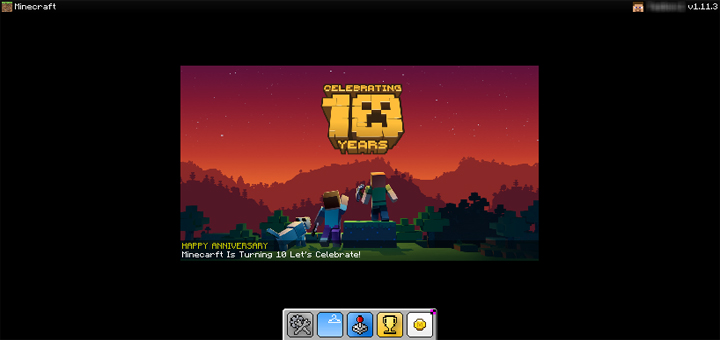

UIPack Sea is designed to make your Minecraft experience more intuitive, simpler, and more fun. Here's the world's most advanced UI suite that brings you a simple and sophisticated UI.
Select version for changelog:
Changelog
UIPack Sea 2.3.6
Sea 2.3 optimizes most of the interface. This update includes a total of 8 bug fixes and feature improvements.
Panorama Background
- Fixed background tonal issues
Start Screen
- Fixed Menu Bar layer issues
Setting Screen
- Fixed Add-Ons Pack background color
Command Block Screen
- Temporarily deleted due to major defects
Inventory Screen
- "?" button in Pocket mode will not display Tips icon now.
Permission Screen
- Now has a localized title (zh_CN, zh_TW, en_US)
HUD Screen
- Fixed an issue where"Pause", "Chat" and"Sneak"buttons could not be displayed
- Fixed the problem that the touch device inventory button icon disappeared
Known issue
- Purchase Coin Screen in Minecraft 1.13 Beta has been misplaced
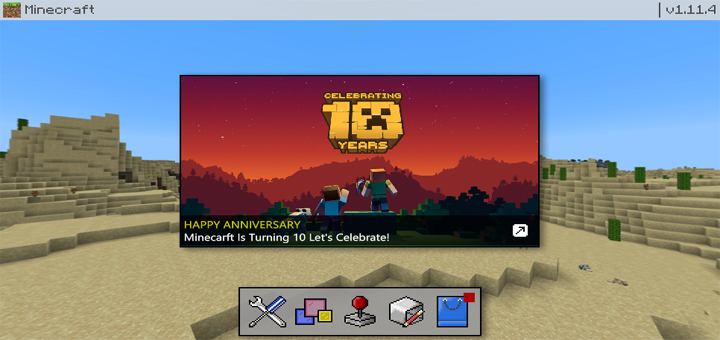
Sea Problems:
(Visual Problem/Opinion) The inventory, HUD, and other uncleaned UIs are still default textures.
(Bug) In release 1.13.0, the skin button doesn't work. This pack hasn't been updated since 1.12 so there are still a lot of bugs I can't list to be noted.
Desert:
(Visual Problem/Opinion) Same as the opinion for Sea
(Bug) Global Resources tab puts every single possible pack into one spot.
(Visual Problem) Skins tab is accessible, but it still looks just like 1.12.
Please take note of these bugs. I would really appreciate if you did.
1. Where is the sneak button
2. Where is the pause and char buttons
Please help is this a bug or a feature
I am using UIPack Sea v.2.3.5
Minecraft Android 1.12.0.6
Samsung Galaxy S8
Please help
1. Where is the sneak button?
2. Where is the pause and chat button?
The main problems are these. I am using Samsung S8 and Minecraft BE 1.12.0.6
pls help
https://mcpelauncher.readthedocs.io/en/latest/getting_started.html