Custom Capes (Resource Pack)

Custom Capes (Resource Pack)

By TMSFireBoy_YT Published 6 Dec 2020 · Updated 6 Dec 2020
4.2

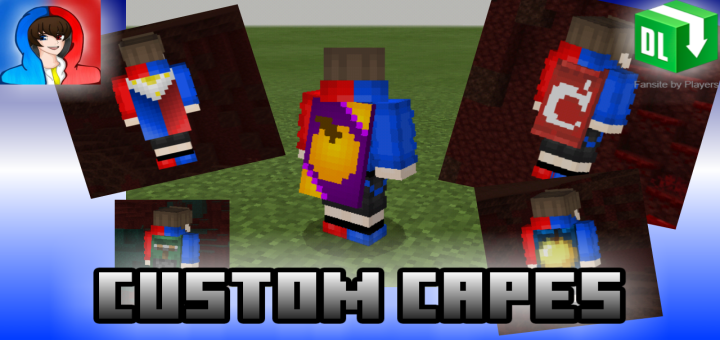
Do you want to have custom capes in Minecraft Bedrock Edition? Do you even want to add your own custom cape textures into your game too? Then this is the correct resource pack for you! Introducing the all new, "Custom Capes" Resource pack in Minecraft BE/PE!!!
Installation

Supported Minecraft versions

Resolutions

Installation Guides

1
It's a not visible for player!!!
1
1
Better that i thought
1
1
Can others see the cape?
1
Welcome to Gboard clipboard, any text you copy will be saved here. March 04, 2022 at 6:58 am
maybe no
1
no resorce pack :(
1
Super good it even works with pvp texture packs
1
.mcpack or 1 star!!
1
You can convert .zip to .mcpack by renaming the .zip to .mcpack in a file converter
1
Yeah, you just need to rename the .zip part to mcpack and it will work just fine. Most file managers are capable of doing that
1
I am on 1.16.201 which is the highest for MCPE without beta and it is forcing me to equip the Minecon 2019 cape that I got and it’s not putting the others. Even when I deactivated my cape it stayed on Minecon 2019. I just wanted the other Minecon capes with my character and not from the 2016 Steve and Alex with the capes. Please fix this.
1
Nvm I fixed it. ‘-‘
1
When you wear an elytra does it change the elytra texture because I want it to. Also does this work on 1.16.20.3?
1
It won't change the elytra texture unless you retexture the elytra yourself. But if you select the founders cape or the pancake cape in the skin menu then it will override the elytra texture to the one associated with the cape.
1
When I equip an elytra the cape wont disappear...
1
Hallo!
I will be making a pack like this... Can I have permission to use the files. I will credit u by making a credit.txt and put ur links in it and I also put ur links in the download page, thanks!
1
How do you do it on Windows 10?
1
Its the same thing just a bit different. You need to extract the zip file and put the files in a new folder. Then move that new folder to C:\Users\Username\AppData\Local\Packages\Microsoft.MinecraftUWP_8wekyb3d8bbwe\LocalState\games\com.mojang\resource_packs in the file explorer
That's the folder where the resource packs go.
1
Or rename the zip file to a mcpack file and it will import ;)
1
Thank you for having a direct media fire link my good sir