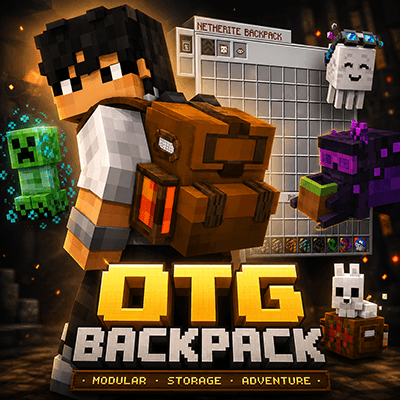
OTG Backpack

OTG Backpack

By dinorawrski Published 25 Mar 2026 · Updated 26 May 2026
171.1k
4

Select version for changelog:

Changelog

OTG Backpack v1.0.6b Hotfix – Multiplayer Stability Update

This hotfix focuses on improving multiplayer/server stability and reducing long-session FPS drops.

Fixed / Improved

  • Improved multiplayer stability for backpack helper entities.
  • Fixed an issue where backpack helper entities could interact with mobs and cause lag or entity loops.
  • Improved Quick Access behavior.
  • Quick Access now appears only after using Double Sneak + Jump.
  • Restored module support for backpacks in Slot 9, priority slot #27, and offhand.
  • Improved Magnet Module behavior while the backpack is carried in supported slots.
  • 90 Degree Upward Ender Pearl and Wind Charge is now fixed (No more entity until backpack usage)
  • Reduced long-session performance issues linked to special item storage handling.
  • Added cleanup for old temporary database/storage residue.
  • Improved handling for potions and tipped arrows stored inside backpacks.
  • Reduced unnecessary background scans to help with server performance.

Important Update Steps

Before installing this hotfix:

  1. Back up your world first.
    • This is strongly recommended before changing addon versions.
  2. Delete the current OTG Backpack version from Minecraft Storage only.
    • Go to Settings
    • Open Storage
    • Find the current OTG Backpack Behavior Pack and Resource Pack
    • Delete them from Storage
  3. Import and apply the new hotfix version.
  4. Restart the world/server after updating.

This hotfix is recommended for multiplayer worlds, servers, and Realms.

Downloads

  • OTG Backpack v1.0.6b (1.33 MB)

Show all downloads (11 older files)

Supported Minecraft versions

Installation Guides

Pinned comment
1
Huge thanks to everyone for the feedback, bug reports, suggestions, and support. I’m reading everything and I really appreciate all of it!

For those who posted issues below, don’t worry, I will look into them. Just give me a little time since I’m managing, testing, fixing, and updating everything by myself, and honestly it gets a bit crazy sometimes 🤪

If you are enjoying the update, please don't forget to rate and vote for the addon (at least 4 stars ⭐) to help me! It helps out massively.

I’ll keep working on improvements and fixes as fast as I can. Thanks again for supporting the addon!
1
This is a wonderful backpack mod, easily the best one I've personally seen. My only comment is that it would be nice if certain modules like Void could be used in 2 or more slots since the ability to clear stuff out is so useful that I wish it could be applied to more things.
1
dying make us lose items... or just using /kill make us lose ? answer me modder..
1
No. The backpack is a entity aside of you.
1
It's definitely a perfect mod, the best backpack mod I've ever found, the problem is that after a while, it crashes my game. I don't know how I can fix that. I really liked the mod and I don't want to stop using it.I apologize if my text is confusing, I'm Brazilian and I'm using the Portuguese trans
1
Es un complemento increíble
1
I really like this add on the campfire is actually life saver but i don't know how to use modules i tried adding them on upgrade slots but it just got back into my inventory can you tell me if there's other way to use modules of it is a bug
1
Just place them over the slots at the right, alined like || and that's it
1
Hello! I am currently using the Bedrock UI+ (Bruhh69) mod. I recently came across your backpack mod and absolutely love it! However, it seems to have a compatibility issue with Bedrock UI+.
​Whenever I open the backpack, I cannot place any items inside; it automatically drops them on the ground. I believe the issue is caused by the 'Quick Inventory Buttons' from the Bedrock UI+ mod. When the backpack UI is open, it behaves as if the 'single down arrow' (drop items one by one) mode is permanently toggled on.
​Could you please look into this button conflict and make your mod compatible with Bedrock UI+? I would really appreciate it. Thank you
Also, are you planning to add Turkish language support soon?
1
For that specific reason I changed the Better Inventory from Bruhh69 for some other.. don't temember the name, but it pop up when u type "better inventory"
1
Hey everyone, I am terribly sorry about the issues in the latest patch regarding multiplayer functionality. I am already fully aware of the bug and will do my absolute best to get it resolved.


​However, due to real-life work priorities, I am currently away from my PC. Please rest assured that I will completely prioritize dropping this multiplayer hotfix before I move on to any new features or the next major update. Thank you so much for your patience and understanding!


EDIT: I am working on it and will try to post the patch ASAP.
1
A couple of days ago, as I usually do every week, I updated the addons and textures on the server I have with my friends. After doing this, I logged in and was playing peacefully when suddenly the dungeon I was exploring was filled with endermen and the server crashed. Luckily, I had a backup. I removed updates for other addons thinking that was the cause, and the same thing happened again, but with skeletons, and then again with rats from another addon. Since I didn't see any reports for any addon, it wasn't easy to figure out which one could be causing this, until I remembered that something similar happened with an old backpack addon: it duplicated a mob when I used the backpack, but this time they spawned in droves around me. With this in mind, today I tried removing the modules, thinking one of them was causing this. It was normal for a while, but then it started spawning dogs in droves. So I put the backpack in another slot and it stopped. Every time I put it in my main hand, they started spawning again. The funny thing is that it doesn't happen instantly, but when you least expect it. Hopefully you can solve this problem soon, bro.
1
For some strange reason, when I interact with a wandering villager, a bunch of camels started spawning nonstop. I can't equip my satchel because it keeps spawning camels endlessly. I have some optimization mods and other things installed, and I've upgraded it to gold with the food module. Can you fix this strange problem?

The mod is really good, it's very well made and structured, I love it, but this problem crashes the game for me.
1
I was going to report the same bug, but with ghasts... My hardcore world just crashed ;-;
1
hello, Can you create an object or directly allow storing full shulkers?
1
How do I get the overpack module?
1
Diamonds, scraps of ancient debris and smth like that
1
Bro, your backpack doesn't work on your phone. I read the comments about how you responded to this, but damn, how do you open this backpack? I pressed and held everywhere you said, but it doesn't work. Please fix it.
And I think the mod would be good.
1
Hey bro, thanks for checking out the OTG Backpack! As you noticed from the other comments, it definitely works on mobile, I designed this addon to be as PC and mobile-friendly as possible.

Since you’ve already tried the standard installation and the troubleshooting steps mentioned in the description, the next best step is to check if your game is throwing a specific error when using the backpack.

To help me figure out exactly what's going wrong, please enable your Content Log History by following these steps:

1. Open Minecraft and go to Settings.
2. Scroll down on the left sidebar and click on Creator.
3. Toggle on both Enable Content Log File and Enable Content Log GUI.
4. Restart your world or create a new world again and add the OTG Backpack Addon, try to open the backpack again, and wait for any error messages to pop up.

Once you have those logs, please share them with me! You can either post them right here (which is great, so anyone else facing the same issue can see the fix) or jump over to my Discord. Let's get this working for you!
1
Hi bro, thanks for answering the comment, I did as you said, turned on the logs and went to a new world and the problem is the same, I can’t open the backpack, this is what they say in the logs
[Scripting][verbose]-Plugin Discovered [OTG Backpack] PackId [7f5a7c31-98be-4572-9a6d-1db09a31a777_1.0.6] ModuleId [6d32f921-ddb1-4cb1-b643-4573e4abf514]

[Scripting][error]-Plugin [OTG Backpack - 1.0.6] - failed to create context.

[Scripting][error]-Plugin [OTG Backpack] - module [OTG Backpack - 1.0.6] requested invalid version [2.6.0] of [@minecraft/server].

Available versions:
0.1.0
1.19.0
2.3.0
2.4.0-beta
3.0.0-alpha

[Scripting][verbose]-Plugin [OTG Backpack] - promoted [@minecraft/server-bindings] from [2.0.0] to [2.3.0] requested by [@minecraft/server - 2.0.0].

[Scripting][error]-Plugin [OTG Backpack - 1.0.6] - run failed, no runtime or context available.

[Texture][inform]-TextureSet (textures/items/copper_golem) | Failed to parse the image after loading - check to see if the device is low on memory or the image is malformed or damaged
1
[Texture][inform]-TextureSet (textures/items/copper_golem) | Failed to parse the image after loading - check to see if the device is low on memory or the image is malformed or damaged
1
I hope this information helps you, good luck bro.
1
Hey @Maga05, thank you so much for testing it and sharing the logs. i think i know the problem. This issue happens when your Minecraft/Bedrock server runtime does not have the Script API version requested by the addon.

The current pack requests:

"@minecraft/server": "2.6.0"

But some devices/servers only have older available versions like 2.3.0, so the script fails to load.

As a temporary workaround, you can try manually editing the Behavior Pack manifest.json and change:

"version": "2.6.0"

to:

"version": "2.3.0"

under the @minecraft/server dependency.

Please try this and let me know if the addon loads correctly on your end. I’m also checking this for the next compatibility update.
1
As I mentioned to you on YouTube before, I really like the improvements you've made, especially the ability to carry potions and arrows with effects. Thanks for the update; so far, everything is working quite well. (After following the development of this new update and seeing that it was ready, I got so excited and ran to try it out, like a little kid with a new toy, haha.)
1
Hey again from YouTube! ❤️ Haha, I absolutely love the 'kid with a new toy' comparison! Getting those tipped arrows and potions to save properly was a massive hurdle, so I'm thrilled to hear everything is working flawlessly for you now. Thank you so much for sticking with the project and trying out the new update so fast.
1
Seriously, after playing the latest update today, I am blown away by how incredibly smooth it is. Dino, OTG Backpack is truly the best of the best. I really hope you get a ton of support on this project so you can continue updating it!

Literally, once you have that Overstack module, this addon becomes beyond perfect. I was reading through the comments and noticed some people were having trouble using it, but I tested it across all of my devices and everything works flawlessly.

Once again, a massive thank you, Dino!!!

For those who's rating the addon a 1 to 3 stars, like what are you thinking? Just dont download if you feel dont like or doesnt work for you.
1
can I craft the rest campfire? or is it just in the backpack? I can find it in creative. also doesnt work when placed. only works from backpack. idk if thats a bug or not
1
hey bro, Rest Campfire is for just the backpack only you cannot craft it.
Could you try enabling your GUI logs?

Here is how to do it:
1. Go to Settings in Minecraft.
2. Scroll down to the Creator tab.
3. Toggle on Enable Content Log GUI.
then rest again, see if any error logs?
1
It worked when you place it from the back pack. I seen it was an item in creative and that didnt work. I was just curious. Would love one to stay in the world without despawn. Just love how it looks haha
1
Ohhh hahaha, got it! Man, I really wish more people liked the idea, but reading through the comments, it seems like most players aren't huge fans of the campfire right now 😔. Because of that, adding a crafting recipe for it is a no-go for now. I'm always listening to you guys though, so if a lot of people start requesting it in the future, I’ll definitely reconsider!