Select version for changelog:
Changelog
Update v1.1.2
Windows Improvements:
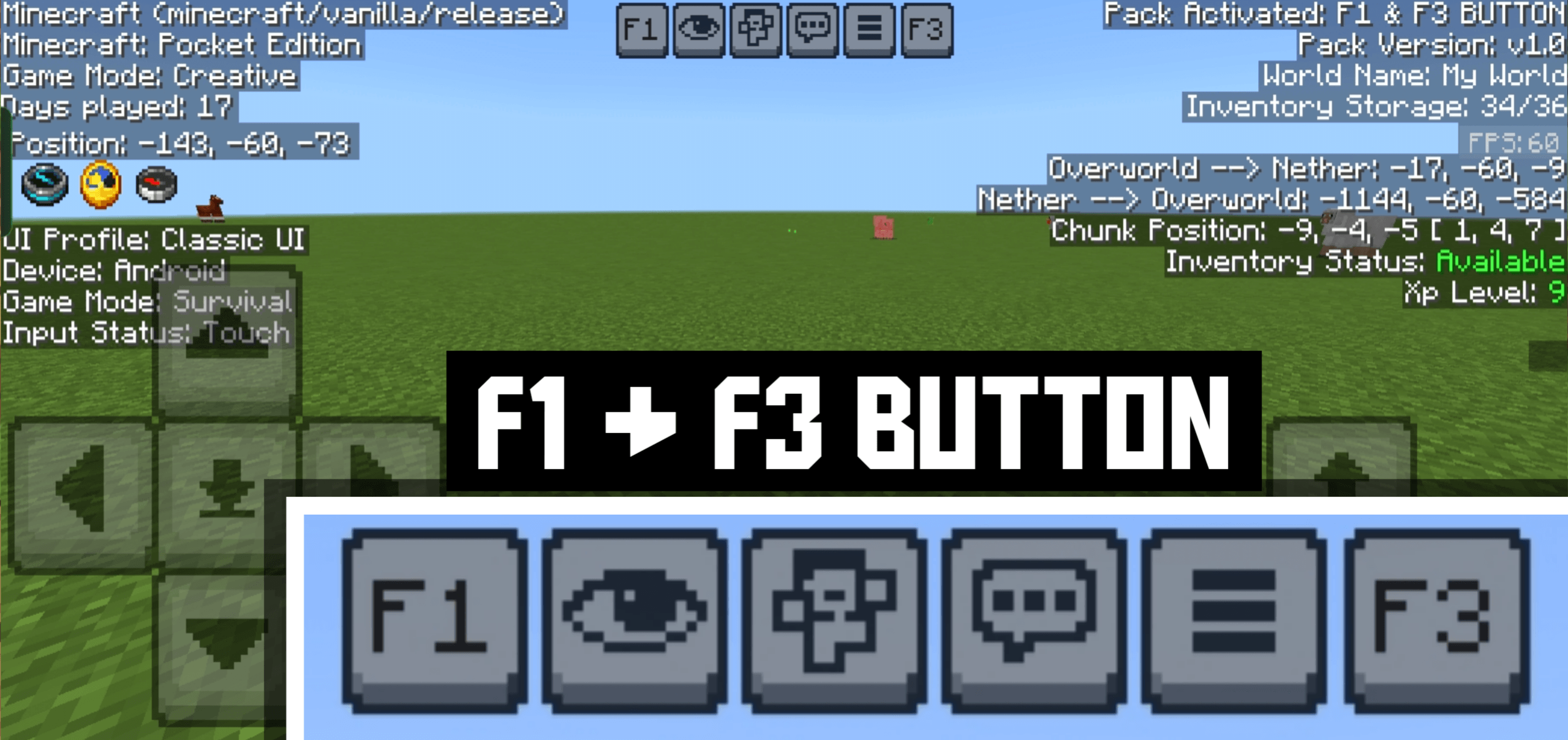
Now you can use the F3 Debug Screen by pressing the TAB key. The annoying on-screen buttons for F1 and F3 have been removed for Windows users to provide a cleaner experience.
Bug Fixes & Changes:
- Fixed player animation issues that were occurring due to FPS scaling.
- The FPS counter has been removed for now to ensure there are no glitches.
- It will be added back in a future update with no errors or glitches.
You may also like...
Installation Guides
1
Booga booga
March 29, 2026 at 11:42 pm
Is it possible for you to make this Mod have an quick fov toggle button like from ty-el UI, or maybe a seperate Mod for this?.
blulah
March 03, 2026 at 10:48 am
theres a bug that when u use ithis in a server, and the server has a custom ui, the custom ui just dissapear, and please make the doll small, it too big for my phone
el-all3n22
January 31, 2026 at 2:44 am
Could use a update. Days counter and position disappear and only appear when using f3. F1 doesn't seems necessary because you can turn off the HUD through settings. Texture pack turns your character into Steve and doesn't show armor on the player or other players and makes swimming look weird. Great and all but it could use some minor fixes, the small things count.
1
Kash VQ
January 14, 2026 at 10:55 am
This package causes the date and coordinates displayed on the screen to disappear unless the F3 button is pressed, but they disappear again when F3 is turned off (translated by Google)
1
missing txeture
November 27, 2025 at 7:12 am
good
KrynxtVeil
November 07, 2025 at 7:20 am
why does my crosshair dissappear everytime i activate this pack? its a problem.
1
Marketable Ralsei
November 01, 2025 at 12:21 pm
works…if you use mobile controls. when you use a controller the debug menu disappears
maikoncastro
October 28, 2025 at 12:31 am
Wow! I play on my phone and this is really helpful. Thanks.
KrynxtVeil
October 23, 2025 at 11:40 pm
why is it that when i use this pack my crosshair goes away any suggestions on how to fix it?
1
JOHNISJOHN
December 12, 2025 at 5:02 am
are you dumb? thats what is hud for, f1 function
1
LeopardMC
October 14, 2025 at 5:12 am
turns ur character in to Steve
1
localk
October 11, 2025 at 9:40 am
F3 key doesn't work. I'm using only this add-on. F3 key on this add-on doesn't work, even though I'm not using any other mode. Only F1 key works.
1
NeBux
October 11, 2025 at 9:51 am
Hey, I just checked it in latest version, it's working completely fine 😅
1
localk
October 11, 2025 at 2:50 pm
Thank you for the answer. This add-on works well on the mobile version, but it doesn't work on the PC version. That's really strange... Could you advise me on how to solve this problem?
1
NeBux
October 11, 2025 at 3:02 pm
Sorry but it will not work on pc because on pc you can't click the button as its clickable on mobile, to make it usable on pc too I have to add button mappings and idk how it works and i don't have an pc to try to add it so there is no way that I can make it usable on pc :(
1
localk
October 11, 2025 at 7:27 pm
So, if I understand correctly, are you saying that it's impossible to activate F3 (debug) on PC? Does that mean this add-on is for mobile only?
1
NeBux
October 11, 2025 at 11:56 pm
It's not impossible, I just can't make accessible on pc so for now you can say it's only for mobile :)
1
localk
October 12, 2025 at 7:57 am
Okay, thank you for the answer. Also, I would like the title and body of this post to clearly state that it is for mobile only. I'm sure there are others who are running into the same difficulty as me.
ItzJohnCraft
October 10, 2025 at 2:40 am
my screen is frozen