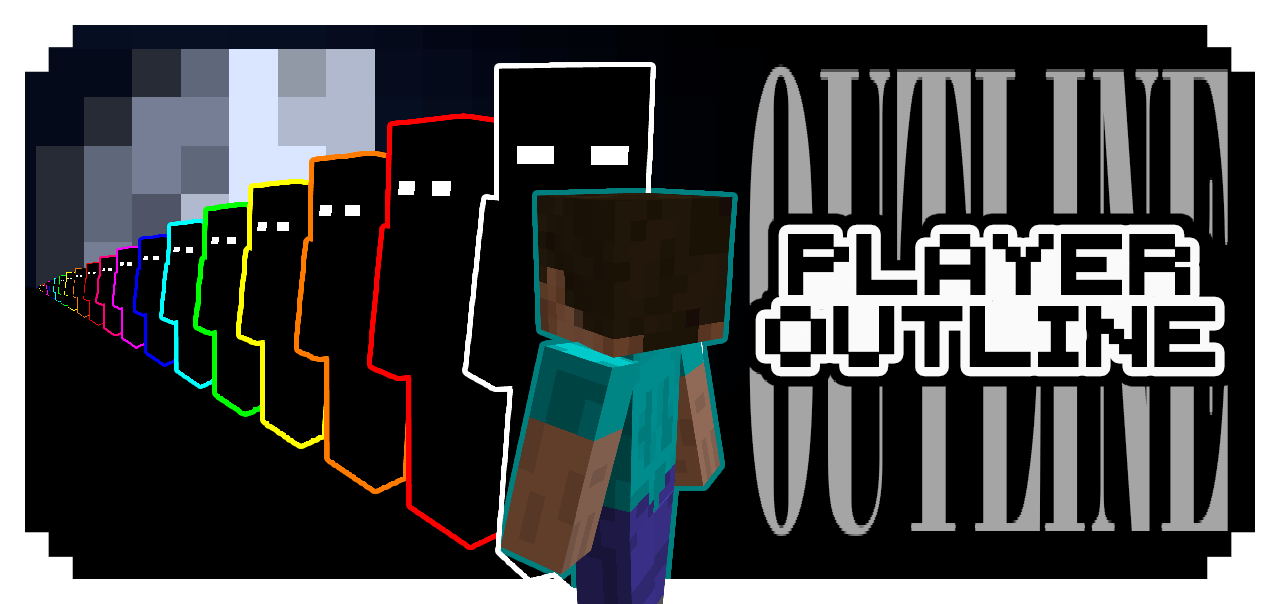
Player Outline v1.1

Player Outline v1.1

By Asterx Published 8 Feb 2026 · Updated 9 Feb 2026
28k
4

Select version for changelog:

Changelog
  • Fix outline not showing because of wrong folder name in manifest

Downloads

  • Player Outline v1.1 [white] (67.86 KB)
  • Player Outline v1.1 [black] (68.29 KB)
  • Player Outline v1.1 [red] (59.7 KB)
  • Player Outline v1.1 [orange] (63.69 KB)
  • Player Outline v1.1 [yellow] (64.87 KB)
  • Player Outline v1.1 [green] (60.16 KB)
  • Player Outline v1.1 [cyan] (65.35 KB)
  • Player Outline v1.1 [blue] (64.42 KB)
  • Player Outline v1.1 [violet] (64.89 KB)
  • Player Outline v1.1 [purple] (65.25 KB)
  • Player Outline v1.1 [pink] (63.86 KB)
Installation Guides

1
Hello, I really like the pack ,
but after modifying the player model to properly support my costume skin, I noticed an issue: the held items are no longer positioned correctly. Instead of being rendered in the player’s hand, they appear stuck on the head and I tried to fix this but I couldn't.
1
yeah, that's the game limit or you messing around with the bone name. beside that, there's nothing you can do
1
I love ts bro I was literally dreaming somebody would make an x-ray for players so I can know who is the murderer in the hive murder mystery :D 69420 stars love you bro
1
Damn... Be careful of getting banned bro ✌️😹
1
I just commented to say I got the reference. Ts funny af.
1
I really like this pack
1
Thanks 。⁠◕⁠‿⁠◕⁠。
1
Bro, why is it not visible in my world? Why is it so useless?
1
Are you using some other pack that's also changing player entity? Like action n stuff.. if so, for Action n Stuff you can set the subpacks to AnS in pack settings.

If the problem from vibrant visual.. well sadly there's no other way i can fix it right now.

Or you can try it first in new world with no other pack is active except this one for testing.
Hope this help :)
1
Yo.. bro I recommend if it’s possible, reducing the outline size would make the design look sleeker and less cluttered.
1
Yeah sure it's possible. You think i should make a new subpacks or i should upload a video on how to resize it to your liking? (Modifying the texture pack)
1
And in the description I saw that you're thinking about adding outlines to the armor and tools/items, and I hope everything goes well and you continue with this project, which I really liked.
1
I'm glad you like it :D yups i'm working on it :) thankyou for the support
1
will support the slim arm model
1
Unfortunately mojang has been limiting us from changing player model if it's just resources pack. But who knows maybe i'll find a way in the future :)
1
It's working now. One thing I noticed was that the color red turns orange when it has the glowing effect, and the color orange turns yellow when it has that effect. There are also visual bugs when the player is wearing armor, but I think those problems will be fixed over time.
1
Yeah, color become lighter :) i'll check that out later... anyway i'm so grateful for all of your help and feedback. I didn't even realized, i made a little mistake that has a huge impact to the pack hahaha
1
Yes, exactly. I also noticed that the orange color is more similar to yellow and green. I don't know if I'm the only one having this problem.
1
My fault gang :)) i put a wrong number h4h4 sorry
1
I tested and identified some problems with the options that make the lines glow in the dark. They aren't glowing. Is it necessary to activate the vibrant visuals?
1
CAN'T BELIEVE I MISSED IT, THANKYOU SOO MUCH FOR NOTICING..

It's for action n stuff compatibility right??? i forgot to rename the folder name in manifest file :')) other than that it's all fine.. also no need to turn on any vibrant visual
1
It's a very interesting feature with great potential. If you can improve it and make the armor have this effect as well, it will be much better.
1
Thankyou for the feedback :D yeah sure i've already planning to make it compatible with the armor and stuff... I just need more time to update it :)