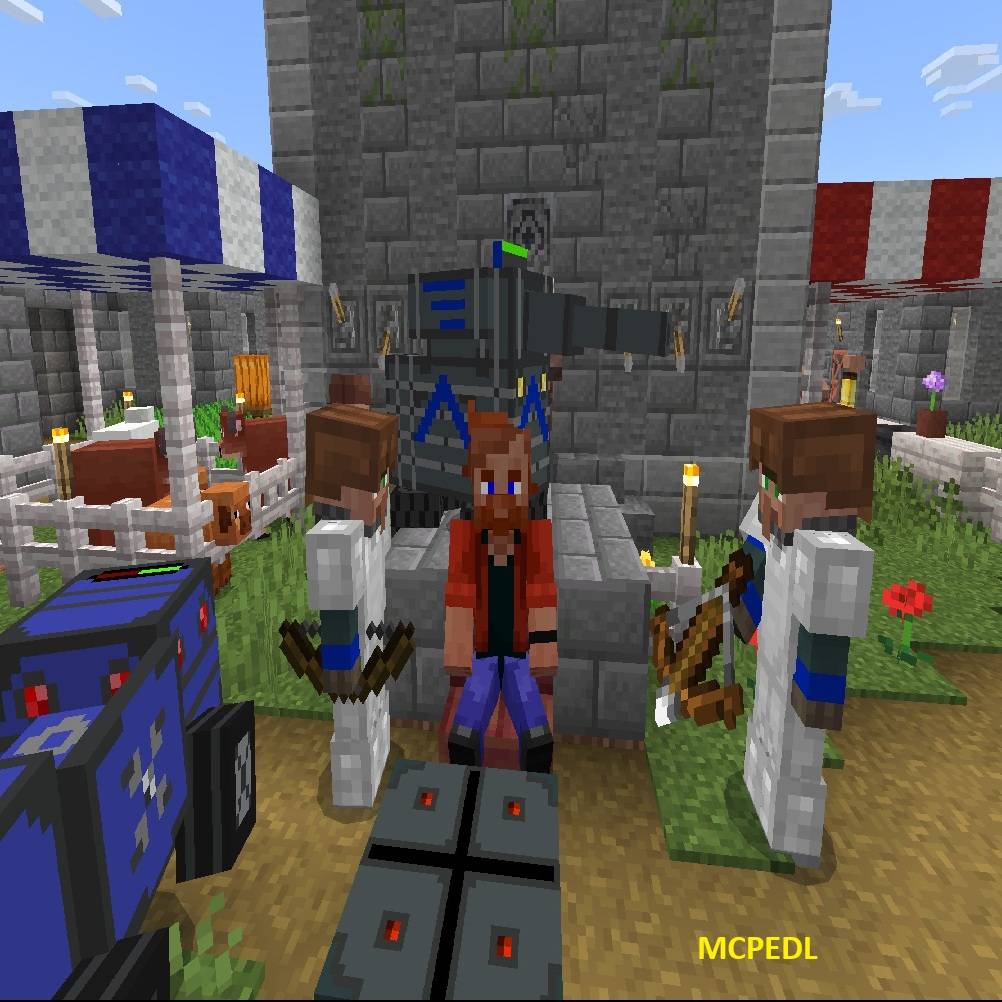

Rule Villages

Rule Villages

By Anghelos92 Published 6 Apr 2025 · Updated 31 Oct 2025
41.4k
4

Select version for changelog:

Changelog

Version 1.21.120   [31 October 2025]:

-Updated: the mod for minecraft version 1.21.120

-Updated: manifest to make use of the "beta" new argument, that will ensure that latest beta api will be used, even after major updates of minecraft version

-Changed: the recipes of nether quartz to obtain resources less OP, in particular you will no more receive the ores but instead the "raw" variants. In particular diamonds requires double the amount of quartz now

-Added: you can craft "ores" instead, for aesthetic purposes, using the stonecutter and relative block of the resource. For example to get Iron ore you use a block of iron in the stonecutter. This is intended only for niche use by builders as it is not economically profitable


-REMEMBER TO DOWNLOAD AND INSTALL BOTH THE RESOURCE PACK AND THE BEHAVIOR PACK AND TO ENABLE BETA API FOR THE MOD TO WORK!

Downloads

  • [BP] Rule Villages Behavior Pack 1.21.120 (859.3 KB)
  • [RP] Rule Villages Resource Pack 1.21.120 (1.35 MB)

Show all downloads (2 older files)
Supported Minecraft versions

Installation Guides

Pinned comment
1
The mod is update for minecraft version 1.21.120+
1
Hi Anghelos92,
This is an excellent addon — it’s perfect for my plan to build a castle in solo play.
Is it possible to disable the TANK and VEHICLE features? These two elements feel a bit out of place for the game’s style, since they mix medieval and industrial themes?
1
Use texture packs that replaces bows to guns my recommendation is Rifles(without the behavior),FFC WW2(without the behavior), satellites(also without the behavior),& bow and crossbow to 3D weapons texture pack.
1
could there be a way to use all features without beta api ? because im running a mod catalog for my friends and they use education edition and do most features work without beta apis?
1
Unfortunately that's not possible since the methods required for the advanced mod functions are behind the beta api and they are this way since more than a year, I tried to message Mojang about this but they are still keeping those methods in beta.
1
bro how is that possible
1
Tengo la versión 1.21.13 y cuando pongo el mod 1.21.13+ no funciona, por cierto el mod es increíble
1
El mod solo funciona con la versión 1.21.120 y posteriores, como está escrito en el registro de cambios y en la descripción del mod.

Para la versión 1.21.113 el soporte ya no está disponible, intenta iniciar el mundo asegurándote de habilitar la opción beta-api experimental
1
The mod is update for minecraft version 1.21.120+
1
Very good , please update
1
Please update for 1.21.9x T_T
1
Is this compatible with any version thats 1.21? I know 1.21.70 is the only one shown here thats compatible, but does it work for other 1.21 versions as well?
1
Hi! The version indicated, in this case 1.21.72, is the minimum version for this mod to work.

This means that previous versions of minecraft, like 1.21.60 or lower will not be able to run this mod.

Higher versions of minecraft, instead, can run this mod. So for example minecraft 1.21.80 can run this mod. Note though, that in every minecraft update Mojang usually modify the API and libraries on top of the additions they introduce, this means that there is the possibility for new versions of minecraft to create incompatibilities with mods.

Now i have already tested the current version of this mod for minecraft 1.21.80 and you can definitely run it, but based on my tests with minecraft preview i can already tell you that this mod will not be compatible with minecraft 1.21.90 when it will be released, but for that time I will be ready with an update for this addon!
1
Hey Developer can i make the guards follow me like man it's like they are ignoring me
1
Hi! To order a guard to follow you, first it must be recruited interacting with an emerald block. Once recruited interact with a torch without sneaking, they will equip a diamond helmet and will follow you. I suggest to rrad the mod guide for further detailed information
1
milkshakeiskindadecent April 15, 2025 at 1:14 pm
Hi,I tested it in a flat world with beta api and the addon active.Everything worked except I can't generate villages and spawnpoints.Like when I try the building that is meant to be there doesn't appear.Edit:The warehouse works now for some reason.
1
milkshakeiskindadecent April 14, 2025 at 10:13 am
Hi it's me again I got another question. so why can't doesn't the addon work in flat worlds and some other biomes?Oh,and how are you doing I hope you are doing well.Good addon other than that.
1
Hi! It's difficult to provide support with little details. Last time I checked it worked in flat worlds and all vanilla biomes. What you mean that this mod doesn't work in some biomes? What part doesn't work? village controllers, guards? Also make sure that you are not using other mods that modify the player.json and that you enable the beta-api experiment, my bet is that you are using another addon that interfere with this, but this is just a guess, given that i have no context on your particular situation!
Let me know!
1
milkshakeiskindadecent April 15, 2025 at 7:00 am
This comment has been removed
1
milkshakeiskindadecent April 15, 2025 at 6:46 am
This comment has been removed
1
Hi! I think i see the problem now! What you are referencing is about the instant structures blocks in a flat world. The instant structures are intended to be used in a normal world, especially the "server spawn point" and the "village", but you can make them work also in a flat world if you place them higher. This because a flat world is at the very bottom of the buildable area (the y coordinate is -60), you must place those instant structures at least at -55 (which means at least 5 blocks higher than the surface of a flat world). Note that, in a flat world, those 2 structures do not blend perfectly with the surface, having to be built higher!
1
it is the worst addon I can't intract any thing
1
It's clear that the problem is you, there are the videos that prove this addon works as described so...you either can't read or you are unable to install an addon properly
1
This comment has been removed
1
This is not a thing i must fix bro, because it works for me and it works also in the video. So it must be a problem with your installation, i can only help you try to fix it. Have you installed both the behavior pack and the resource pack? It seems not, and also do you use any other mod with this?
1
This comment has been removed
1
Hey dev this has been the best village addon I've ever used but there's this bug that is kind of unusual so when I enter a village I get a small notification saying I've entered one and when I leave it I get another notification saying I left it but the border the is in between the village and the rest of world sometimes shrinks to the point that sometimes I can't put a villager controller directly next to the village trading hall the structure with the bell and I've been wondering if there's a way to stop this or expand the border so it actually has the entire village in it but everything else has been amazing I really enjoy using this add-on
1
Hi! Thank you for the support!
About your question, this mod doesn't change how villages borders are handled by minecraft, vanilla villages are totally vanilla meaning that how big they are and how large are their borders are totally handled by minecraft hardcoded mechanics, I invite you to read the paragraphs of this wiki to learn more about bedrock villages, if you want:
" "
I can say that sometimes the village shrinks or changes its phisical size because often the villagers shift their jobs and beds, changing the beds to which they are linked to, often because they cannot reach them. The only possible solution is to place the village controller the most possible median location, considering all the beds that are in the village or making sure that there are multiple assigned beds near the village controller. (Assigned beds means that villagers actually sleep on them during the night)

Hope this helps!